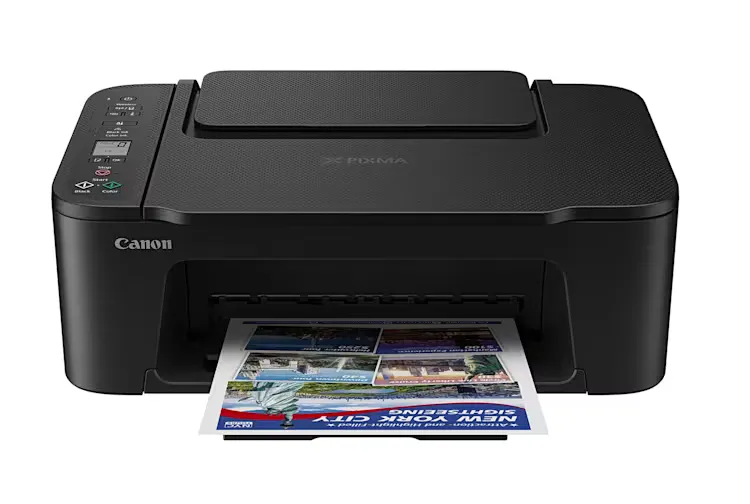
Why is your choice of printing technology so critical?
The fundamental decision in setting up a home office revolves around whether you require a laser or an inkjet printer. This choice is dictated primarily by the nature of your documents and the frequency of your printing tasks.
Laser printers are generally the superior choice for professionals whose workload consists mainly of text-based documents. If your daily tasks involve printing black-and-white contracts, reports, or administrative letters, the precision and speed of laser technology provide a streamlined experience. These devices are built for efficiency when dealing with high volumes of monochrome text.
Conversely, inkjet printers are better suited for those who require frequent colour output. If your work involves presentations, marketing materials, or any document where visual fidelity and colour accuracy are paramount, an inkjet model will serve you better. For high-volume colour users, specialized ink tank printers offer a strategic advantage. While the initial investment in an ink tank system may be higher than a standard cartridge model, the significantly lower cost per page and larger ink volumes make them more economical for heavy weekly usage.
Comparing Printing Technologies
When evaluating these technologies, consider the following breakdown:
- Laser: Best for high-speed, monochrome text; lower cost for black-and-white documents; excellent for administrative tasks.
- Inkjet: Best for high-quality colour images and graphics; versatile for various media types.
- Ink Tank: Best for high-volume colour printing; higher upfront cost but significantly lower long-term consumable expenses.
Do you need a simple printer or a multifunction device?
A multifunction printer (MFP) provides much more value in a home office than a standalone printer because it integrates scanning, copying, and printing into a single unit.
In a professional remote environment, the workflow rarely stops at just printing. You often need to sign a document and scan it back to a client, copy an ID for verification, or digitize physical receipts for accounting purposes. A multifunction device eliminates the need to visit a local print shop or stationery store, saving both time and logistical effort.
For those who handle high volumes of paperwork, the presence of an Automatic Document Feeder (ADF) is a transformative feature. Instead of manually placing every single page on the scanner glass, an ADF allows you to stack a multi-page document and let the machine scan the entire set consecutively. This automation reduces friction in your workflow and ensures that administrative tasks do not become a bottleneck in your workday.
How does wireless connectivity impact your productivity?
Wireless connectivity via Wi-Fi is no longer a luxury in a home office; it is a fundamental requirement for modern efficiency.
In a professional setting, the file you need to print is rarely sitting on a desktop computer connected by a cable. You may receive an urgent contract via email on your smartphone or need to review a presentation on a tablet. A Wi-Fi-enabled printer allows you to send jobs directly from these mobile devices without the hassle of transferring files to a laptop or hunting for USB cables.
Furthermore, wireless capability facilitates a shared environment. If multiple people in a household use the same printer for different professional or personal tasks, Wi-Fi ensures that everyone can print seamlessly from their own devices. This decentralised access reduces clutter and simplifies the overall digital ecosystem of your home workspace.
What features actually save you time in daily use?
Time-saving features in a printer extend beyond simple pages-per-minute (PPM) metrics; they include the automation of repetitive physical tasks.
Automatic double-sided printing (duplexing) is one of the most practical features for anyone dealing with multi-page reports. It removes the manual labour of flipping pages and simultaneously helps reduce paper consumption, making your office more environmentally conscious. When combined with a high-capacity paper tray, these features ensure that you spend more time working and less time managing the machine.
While features like high-resolution scanning or advanced colour calibration might seem like premium add-ons, the true value lies in the 'invisible' efficiencies. An automatic document feeder, a large paper tray, and reliable wireless connectivity are the features you will appreciate most during the heat of a busy workday. They prevent the small, repetitive interruptions that can break your professional focus.
Why should you look beyond the initial purchase price?
The most common mistake in purchasing office equipment is focusing solely on the upfront sticker price rather than the Total Cost of Ownership (TCO).
A printer that appears inexpensive at the point of sale can become a significant financial burden if the replacement cartridges or toner levels are costly. To avoid this, you must investigate the cost of consumables before committing to a model. Ask yourself several critical questions regarding the long-term economics of the device:
- How many pages can I print before a cartridge or toner needs replacement?
- What is the specific cost of a full set of replacement consumables?
- Are there high-capacity or continuous ink supply options available?
For a professional using the device daily, the cost per page is a far more important metric than the initial purchase price. A more expensive printer with highly efficient, low-cost ink or toner will often pay for itself within the first year of regular professional use.
Frequently asked questions
Which is better for a home office: Laser or Inkjet?
Laser printers are better for professionals who primarily print black-and-white text documents and require high speed. Inkjet printers are superior for those who need frequent colour printing, such as for presentations or marketing materials, offering better versatility for varied media.
What is the benefit of an Automatic Document Feeder (ADF)?
An ADF allows you to scan or copy multiple pages automatically without manually placing each sheet on the scanner glass. This is a vital time-saving feature for professionals who need to digitize lengthy contracts, invoices, or multi-page reports quickly and efficiently.
Can I print from my phone to a home office printer?
Yes, provided the printer has Wi-Fi or Bluetooth capabilities. Most modern wireless printers support mobile printing via dedicated apps or standard protocols, allowing you to send documents directly from your smartphone or tablet without needing a computer connection.
Why should I consider a multifunction printer?
Multifunction printers combine printing, scanning, and copying into one device. This is ideal for home offices because it handles the full lifecycle of a document—from printing a contract to scanning a signed copy back to a client—using a single machine.
How do I calculate the true cost of a printer?
You should calculate the Total Cost of Ownership by adding the initial purchase price to the projected cost of consumables (ink or toner) over the expected lifespan of the device. Focus on the cost per page rather than the initial price.
Key takeaways
- Choose laser for text-heavy workloads and inkjet for colour-intensive professional tasks.
- Multifunction devices with an ADF save significant time by integrating scanning and copying.
- Wi-Fi connectivity is essential for printing directly from mobile devices and tablets.
- Prioritize low consumable costs (ink/toner) over a low initial purchase price.
Conclusion
Selecting the right printer is an investment in your professional productivity. A home office setup requires more than just digital tools; it requires hardware that can bridge the gap between the physical and digital worlds. By evaluating your specific printing volume, the necessity of colour, and the importance of scanning capabilities, you can avoid the pitfalls of high consumable costs and inefficient workflows. Ultimately, the goal is to find a device that integrates seamlessly into your routine, allowing you to focus on your core professional responsibilities rather than the mechanics of document management.